
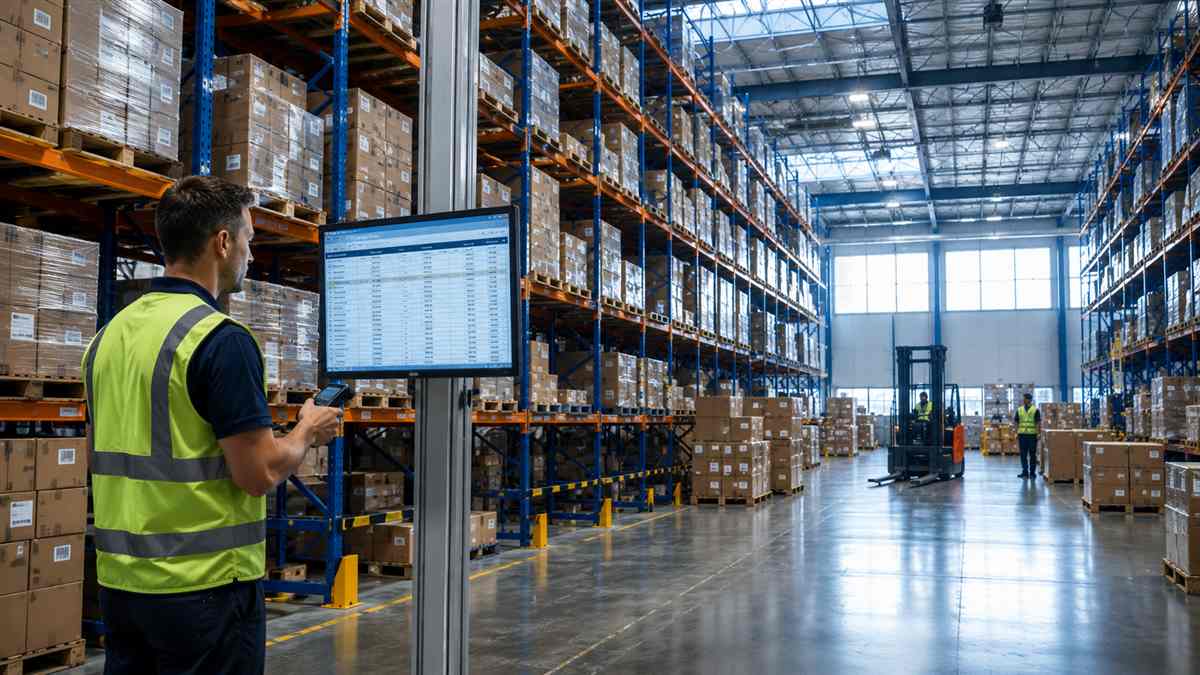

Warehouse management is how a business controls the daily operations inside a warehouse — receiving inventory, storing it, picking and packing orders, and shipping them out — so goods move accurately and cost-efficiently. A warehouse management system (WMS) is the software that runs those operations: it tracks every unit in real time, directs staff through each task, and prevents the errors that slow fulfillment down. Together they turn a warehouse from a cost center into a competitive advantage. This guide explains what warehouse management is, how a WMS works, its features, types, benefits, and cost, and how to choose the right system for your operation.
What Is Warehouse Management?
Warehouse management is the day-to-day control of everything that happens inside a warehouse: receiving, putaway, storage, picking, packing and shipping. The pressure on this function keeps rising, and the national data says it is not easing: U.S. Bureau of Labor Statistics figures for warehousing and storage show labor productivity fell 11.5% in 2021, 11.0% in 2022 and 4.4% in 2023, then rose just 0.1% in 2024, while average hourly earnings in the subsector reached $26.84 in June 2026. The Association for Supply Chain Management frames the discipline the same way: warehouse management “encompasses the processes involved in running the day-to-day operations of a warehouse, including receiving, storing, picking, packing and shipping goods.” According to the U.S. Census Bureau, US ecommerce reached $340.2 billion in the second quarter of 2026, 17.1% of all retail sales and 12.2% up year on year — growth that arrives as more individual orders moving through the same four walls.
Warehouse management is the set of processes and decisions that control how goods move through a warehouse — from the moment inventory arrives to the moment an order ships. It covers receiving and storing products, tracking stock, organizing the space, directing labor, picking and packing orders, and shipping them accurately and on time. The goal is simple to state and hard to do: get the right product out the door quickly, correctly, and at the lowest reasonable cost.
Good warehouse management matters because small inefficiencies multiply as volume grows. A few extra seconds per pick or a one-percent error rate barely registers at 50 orders a day, but it quietly drains time and money at 5,000. Done well, warehouse management keeps fulfillment fast and accurate as a business scales; done poorly, the warehouse becomes the bottleneck that caps growth.
It also shapes the customer experience more than most founders expect. Delivery speed, order accuracy, and the condition products arrive in are all decided on the warehouse floor, not in marketing. A great product can still earn a one-star review if it ships late, arrives damaged, or turns out to be the wrong item. That is why brands that treat warehouse management as a growth lever, rather than a back-office cost, tend to keep customers longer and spend less winning them back.
Warehouse Management vs. Warehouse Management System: What’s the Difference?
Warehouse management is the discipline — the processes and people that run a warehouse. A warehouse management system (WMS) is the software that supports that discipline. You can practice warehouse management with clipboards and spreadsheets, but at any real volume the manual approach breaks down. A WMS replaces the guesswork with real-time data: it knows what’s on every shelf, tells each worker what to do next, and keeps inventory accurate automatically. In short, warehouse management is what you do; a WMS is the tool that makes it repeatable and scalable.
What Are the Core Warehouse Management Processes?
The six core warehouse management processes are receiving, putaway, storage, picking, packing and shipping. Each one has to work for the operation to run smoothly.
- Receiving: accepting inbound inventory, verifying it against the purchase order, and inspecting it for damage before it moves into storage. Accuracy starts here — a receiving error contaminates every count downstream.
- Putaway: moving received goods to their storage location, ideally the spot that makes them fastest to pick later.
- Storage: holding inventory safely and efficiently, using ABC inventory classification to keep the fastest-moving, highest-value items closest to packing.
- Picking: retrieving items to fill customer orders — usually the most labor-intensive step, and the one with the most room to optimize.
- Packing: confirming the order is correct and packing it so it arrives undamaged.
- Shipping: applying the right carrier and label, manifesting the order, and dispatching it within the promised window, which is where warehousing hands goods over to distribution.
A warehouse management system directs and records every one of these steps, which is what makes them consistent from one order to the next. The processes also feed each other: sloppy receiving creates picking errors, poor slotting slows every pick, and a weak quality check turns small mistakes into returns. Improving one step often lifts the whole operation, which is why disciplined warehouses treat these six processes as a single connected system rather than separate tasks.
What Is a Warehouse Management System (WMS)?
A warehouse management system (WMS) is software that controls and optimizes the daily operations of a warehouse. It tracks inventory in real time down to the SKU and location, directs receiving, putaway, picking, packing, and shipping, and gives managers live visibility into stock and order status. Rather than just recording what happened, a modern WMS decides how work should flow — which item to pick next, where to store an incoming pallet, when to trigger a replenishment — so the warehouse runs on rules and data instead of memory and guesswork.
This is the difference between a WMS and a basic inventory or spreadsheet tool: a WMS doesn’t only count stock, it runs the operation. For a growing brand, it’s the technology that turns manual, error-prone warehousing into a repeatable system that scales.
The idea has been around for decades, but what a WMS can do has changed sharply. Early systems were little more than digital inventory ledgers running on in-house servers. Today’s systems are cloud-based, connect directly to ecommerce platforms and carriers, and use data to direct labor and predict demand. That shift is why a WMS is now within reach of small and mid-size businesses, not just large distributors — the capability that once required a major IT project now comes as a subscription.
What Are the Key Features of a WMS?
The core features are real-time inventory tracking, directed workflows, barcode scanning, slotting optimization, order and carrier integration, labor management, and reporting. Each in turn:
- Real-time inventory tracking: live stock counts by SKU, lot, batch, serial, and location.
- Directed workflows: step-by-step guidance for receiving, putaway, picking, packing, and shipping.
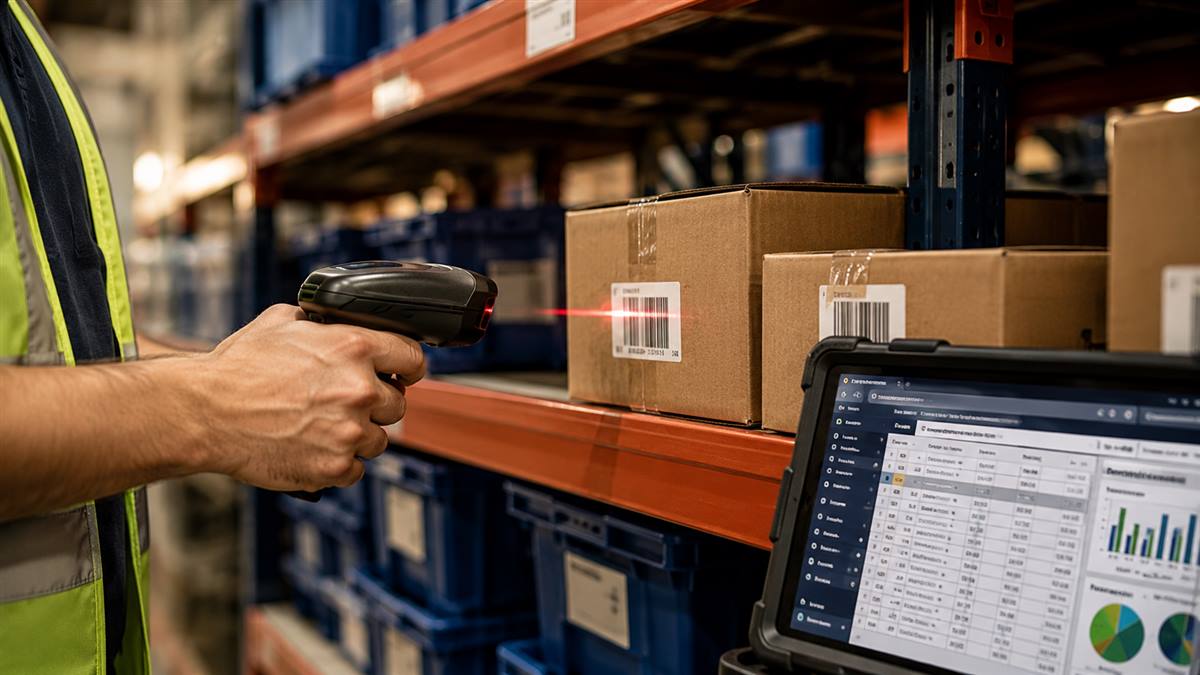
- Barcode and scanning support: scanning at every step to keep data accurate and eliminate manual entry.
- Slotting and storage optimization: logic that decides where to store items for the fastest picking.
- Order and carrier integration: connections to your sales channels and shipping carriers so orders flow automatically.
- Labor management: tracking productivity and helping schedule staff to match demand.
- Reporting and analytics: live dashboards and KPIs that show how the warehouse is performing.
How Does a Warehouse Management System Work?
A WMS works by sitting between your sales channels and your warehouse floor, translating orders into directed tasks and keeping inventory synced the whole time. The flow looks like this:
- 1. Inventory is received and logged. Staff scan inbound goods, and the WMS records quantity and location.
- 2. Stock is tracked in real time. Every movement updates the system, so counts always match the shelf.
- 3. Orders flow in automatically. The WMS pulls orders from your ecommerce platform or OMS and turns them into pick tasks.
- 4. Work is directed to staff. The system tells workers what to pick, in what order, along the most efficient path.
- 5. Orders are packed, shipped, and confirmed. The WMS assigns the carrier, prints the label, and sends tracking back to the customer.
Throughout, managers see live inventory and order status, so problems surface early instead of after a customer complains.
What Are the Types of Warehouse Management Systems?
Warehouse management systems come in a few forms, and the right one depends on your size, complexity, and existing software.
- Standalone WMS: a dedicated system focused only on warehouse operations, for businesses that want depth without full ERP integration.
- ERP-integrated WMS: a warehouse module inside a broader ERP or supply chain suite, keeping logistics and finance in one system.
- Cloud-based WMS: hosted software accessed over the internet, with lower upfront cost and faster updates — increasingly the default.
- On-premise WMS: installed on your own servers, giving maximum control and customization at a higher cost.
- Industry-specific WMS: systems built for particular needs like cold storage, 3PL billing, or ecommerce fulfillment.
There is also a “WMS lite” tier — lightweight tools or modules that add basic warehouse features to inventory or ecommerce software. These can be enough for a small operation, but most growing brands outgrow them and move to a full standalone or cloud WMS once order volume and SKU count climb. The right choice is the simplest system that still covers your real needs and has room to grow.
Cloud-Based vs. On-Premise WMS
A cloud WMS is a subscription you reach over the internet with updates and maintenance included; an on-premise WMS is software you license and run on your own servers, with full control and full responsibility for it. For most buyers this is the single biggest decision. Here’s how they compare:
| Factor | Cloud-Based WMS | On-Premise WMS |
|---|---|---|
| Upfront cost | Low — subscription based | High — license and hardware |
| Updates | Automatic, included | Manual, often paid |
| Scalability | Fast to scale up or down | Requires new capacity |
| Maintenance | Handled by the vendor | Your IT team |
| Customization | Configurable within limits | Deep, fully custom |
| Best for | Most growing brands and 3PLs | Large, complex operations |
Our recommendation: choose cloud unless you have a specific reason not to. On-premise earns its extra cost in three situations — a workflow no vendor will configure for you, a regulatory or contractual requirement to keep data on your own hardware, or an IT team already running comparable systems in-house. If none of those describe you, cloud gets you live sooner, for less, with someone else carrying the maintenance.
WMS vs. ERP vs. Inventory Management Software
A WMS directs work on the warehouse floor, an ERP runs the wider business, and inventory software only tracks stock levels.
| Factor | WMS | ERP | Inventory Software |
|---|---|---|---|
| Primary job | Run the warehouse floor | Run the whole business | Count and reorder stock |
| Directs pickers | Yes, with pick paths | Rarely | No |
| Bin-level locations | Yes | Limited | Usually not |
| Finance and HR | No | Yes | No |
| Single source of truth for stock | Within the warehouse | Across the company | Across sales channels |
| Best fit | Complex picking, multi-location | Multi-function enterprise | Small catalogs, simple flow |
A WMS is often confused with related systems. The difference is scope. Inventory management software tracks how much stock you have and where. An ERP runs the whole business — finance, purchasing, HR, and more — with inventory as one piece. A WMS goes deep on the warehouse itself, directing the physical work of receiving, storing, picking, packing, and shipping. Many businesses run all three, with the WMS integrated into the ERP so the warehouse and the back office share the same data.
What Are the Benefits of a Warehouse Management System?
Businesses adopt a WMS because it improves accuracy, speed, and cost all at once. The main benefits:
- Higher inventory accuracy: real-time tracking and scanning push accuracy sharply higher, ending overselling and stockouts.
- Faster order fulfillment: optimized pick paths and directed tasks get orders out the door quicker.
- Lower labor cost: the system routes work efficiently, so the same team handles more volume.
- Fewer errors: scanning and confirmation steps catch mistakes before they become returns.
- Better visibility: live dashboards let managers spot and fix problems early.
- Room to scale: the operation handles rising volume and peak seasons without breaking.
How Much Does a Warehouse Management System Cost?
Warehouse management system cost is driven by five things, and the software license is only one of them. Cloud systems are priced as a monthly subscription that scales with users, order volume or locations; on-premise systems carry an upfront license plus hardware and ongoing maintenance. What actually moves the total:
- How the vendor meters you. Per user, per order, per location or per site. The same system can cost very differently depending on which axis your business grows along, so model it against next year’s volume rather than this year’s.
- Integration count. Every connection to a sales channel, carrier, ERP or 3PL billing system is scoped and priced separately. Two integrations is a task; eight is a project.
- The state of your data. Migration is quoted assuming your SKUs, locations and quantities are clean. When they are not, this is the line that overruns — and it overruns before you have any benefit to show for it.
- Configuration versus customization. Configuring inside the vendor’s model is included in the price. Asking for a workflow the software was not built for is billed, and it is billed again at every upgrade.
- Training and the go-live dip. Throughput falls while the team learns the new process. Budget for that temporary loss, not just the trainer’s day rate.
Judge the total on cost of ownership over several years, weighed against the labor, accuracy and speed the system delivers — not the sticker price. And ask any vendor for a quote that names all five lines above, because the ones missing from the proposal are the ones that surprise you later.
Warehouse Management Technology: AI, RFID, and Automation
Warehouse management technology is moving fast, and a modern WMS is increasingly the platform that ties it together. Barcode scanning and RFID keep inventory accurate without manual counts. Automation — from pick-to-light and conveyors to autonomous mobile robots — speeds up the busiest stations, and our guide to warehouse automation types and costs covers what each tier requires. AI and machine learning improve demand forecasting, optimize slotting and pick paths, and flag problems before they spread. These tools don’t replace good warehouse management; they extend it, letting an operation handle more volume without a matching rise in labor. The NIST Manufacturing Extension Partnership advises first-time adopters to “Start your robot implementation simply and take that principle to heart as you begin to evolve how you use robots in your facility” — the same restraint applies when layering automation onto a WMS. For a broader view, see our guide on the role of technology in modern logistics operations.

Warehouse Management Best Practices
The six practices that separate a warehouse that scales from one that breaks are slotting fast movers near packing, standardized receiving, real-time inventory accuracy, the right picking method for your volume, an in-line quality check, and continuous cycle counting. Software alone doesn’t fix a warehouse — how you run it matters just as much: slot fast-moving items near packing to cut walking time, standardize receiving so accuracy starts at the dock, keep inventory accurate in real time with scanning, match your picking method to your volume, build a quick quality check before packing, and run continuous cycle counts instead of one big annual shutdown. A WMS makes each of these easier to enforce. For the full playbook, read our guide on warehousing best practices for growing brands. Safety belongs in the same routine. OSHA states that in warehousing “the most common injuries are musculoskeletal disorders (mainly from overexertion in lifting and lowering) and being struck by powered industrial trucks and other materials handling equipment” — both shaped directly by how stock is slotted and how much travel the system routes. Warehouses fall under federal rules covering storage, forklifts, and aisles, covered in our guide to OSHA warehouse safety standards.
What Warehouse Management KPIs Should You Track?
Track six: order accuracy, inventory accuracy, order cycle time, picking productivity, cost per order, and on-time shipping rate. These are the ones that reveal how healthy an operation is, and a WMS makes each easy to track in real time:
- Order accuracy rate: the share of orders shipped correct and undamaged — aim above 99%.
- Inventory accuracy: how closely system counts match physical stock.
- Order cycle time: how long from order received to shipped.
- Picking productivity: units or orders picked per labor hour.
- Cost per order: total warehouse cost divided by orders shipped.
- On-time shipping rate: how often orders leave within the promised window.
Tracking these turns warehouse management from a matter of opinion into a matter of data — you can see exactly where the operation is strong and where the next improvement should go.
That is the short list. Our guide to warehouse KPIs works through 22 metrics in total, each with its own formula and the benchmark to judge it against, and four of them belong in any 3PL agreement you sign.
How Do You Choose a Warehouse Management System?
If you weigh only three things, weigh integrations, implementation support and total cost of ownership — in that order. Integrations decide whether the system works at all, support decides whether go-live succeeds, and total cost of ownership is where the real number hides. Features are what vendors sell hardest and buyers over-weight. All six factors:
- Integrations: it must connect to your ecommerce platform, carriers, and ERP without manual work.
- Scalability: it should handle your order volume today and several times that tomorrow.
- Features that fit your product: lot tracking, cold storage, kitting, or 3PL billing if you need them.
- Deployment model: cloud for speed and low cost, on-premise for deep customization.
- Total cost of ownership: software, implementation, integration, and training over several years.
- Support and implementation: a vendor that helps you go live and stays responsive after.
One shortcut worth considering: if you are weighing a WMS purchase mainly to fix accuracy and shipping speed, price it against outsourcing the operation entirely. Cura Resource Group already runs a WMS across its facilities, so brands moving to a 3PL often get the software capability without the license, implementation and training bill attached to it.
Signs Your Business Needs a WMS
The clearest signs are inventory counts that stop matching the shelf, picking errors and returns climbing, staff spending more time searching than shipping, peak seasons overwhelming the team, and SKU or channel growth outrunning a spreadsheet. Each is a symptom of the same thing: manual processes starting to cost you orders. The common signals: inventory counts no longer match the shelf, picking errors and returns are rising, staff spend more time searching than shipping, peak seasons overwhelm the team, or you’re expanding to more SKUs, channels, or locations than a spreadsheet can handle. If two or more of these are true, a WMS is usually the fix that opens the next stage of growth.
What Does WMS Implementation Involve?
A WMS rollout runs in seven steps, from mapping your current processes through to going live with close monitoring — it is a project, not a switch you flip. Rollout length is set by your data quality and the training required rather than by the software itself, and follows a clear path: map your current processes, configure the system to match, integrate it with your ecommerce platform and carriers, migrate inventory data, test with real orders, train staff, and go live with close monitoring in the first weeks. The biggest risk is rushing the data and training steps — the technology works, but only if the team knows how to use it and the inventory data is clean going in. Planning the switch outside your peak season keeps the transition smooth.
Warehouse Management for 3PLs and Ecommerce
Ecommerce brands and third-party logistics providers put the heaviest demands on warehouse management, because they ship high volumes of individual orders across many channels. For them, a WMS with strong ecommerce integrations and multi-client support isn’t optional — it’s the core of the operation. Many growing brands get enterprise-grade warehouse management without buying software at all by outsourcing to a 3PL provider whose warehousing and fulfillment operation already runs an integrated WMS, trained staff, and automation. It’s the fastest way to get the benefits of strong warehouse management without building it in-house.
The trade-off is worth weighing. Running your own warehouse and WMS gives full control and can be more cost-effective at very high, steady volume. Outsourcing to a 3PL gives you a proven system, distributed warehouse locations, and discounted shipping on a pay-per-order basis, with none of the software cost or management burden. For most brands the deciding question is simple: is warehousing a core part of what makes your business special, or is it work you’d rather hand to specialists so you can focus on product and growth?
This is the part brands underestimate when they outsource. Handing fulfillment to a 3PL does not hand over the warehouse-management problem — it changes who owns it. Cura Resource Group runs the receiving, putaway, cycle counting and pick accuracy on your behalf, but you should still be reading the same inventory numbers we are, in real time, from your own dashboard.
The Future of Warehouse Management
Warehouse management is heading toward more automation, more data, and more real-time decision-making. Robotics and automated storage are handling a growing share of the physical work, while AI turns the flood of warehouse data into better forecasting, slotting, and labor planning. Cloud WMS platforms make these capabilities available to smaller operations that once couldn’t afford them. Customer expectations for fast, accurate delivery keep rising, which pushes warehouses to be quicker and more precise every year. The direction is clear: warehouses are becoming faster, more accurate, and more automated, and the businesses that adopt the right systems early will hold a real cost and speed advantage. The good news for a growing brand is that you don’t have to build all of this yourself — a modern cloud WMS, or a 3PL that already runs one, puts these capabilities within reach today.
Final Word
Warehouse management is the discipline that keeps fulfillment fast and accurate, and a warehouse management system is the software that makes it repeatable at scale. Get both right — sound processes supported by the right WMS — and the warehouse stops being a bottleneck and starts being a competitive advantage. Whether you run your own warehouse or outsource to a 3PL, the fundamentals are the same: real-time inventory, directed workflows, the right technology, and continuous improvement. Start by measuring where you stand today, then fix the biggest gap first.
Ready for warehouse management that scales with your business?
Frequently Asked Questions
What does a warehouse manager control?
Warehouse management is the set of processes that control how goods move through a warehouse — receiving, storing, picking, packing and shipping — so inventory stays accurate and orders leave on time. It covers the people, layout and procedures, not just the software that supports them.
Why is warehouse management important?
Warehouse management decides whether stock is actually where the system says it is. Poor warehouse management shows up as mispicks, stockouts on items you actually hold, wasted labor hours and late deliveries — costs that surface in customer service and refunds rather than on the warehouse budget line.
What are the 5 main activities in a warehouse?
The five usually listed are receiving, putaway, storage, picking and shipping, with packing counted either inside shipping or as a sixth step. Inventory control runs across all of them, which is why an error early in the sequence surfaces as a problem later.
What does a WMS do day to day?
Day to day, a WMS receives inbound stock against the purchase order, assigns put-away locations, generates pick paths, verifies each pick by scan, prints carrier labels, and feeds live stock counts back to your ecommerce platform or ERP so every channel sees the same numbers.
What is the difference between warehouse management and a WMS?
The difference is process versus software: warehouse management is what your team does day to day, and a WMS is the system that directs and records that work. You can manage a warehouse without a WMS using spreadsheets and paper, but accuracy degrades quickly as SKUs, order volume and locations multiply.
What are the main types of warehouse management systems?
The main types are standalone WMS, ERP-integrated WMS, cloud-based WMS, on-premise WMS, and industry-specific systems built for sectors like cold chain or pharmaceuticals. Cloud-based platforms are increasingly the default for small and mid-sized operations because they avoid upfront license and server costs.
What should you budget for a WMS?
Cloud-based systems typically run as a monthly subscription scaled to users, order volume or locations, while on-premise deployments carry a larger upfront license and server cost. Budget for implementation, data migration and training separately — those often exceed the first year of software fees.
What are the benefits of a WMS?
A WMS raises inventory accuracy, shortens pick paths, reduces mispicks and returns, and gives you real-time stock visibility across channels. The compounding benefit is labor: the same team ships more orders per hour, which is usually where the investment pays for itself first.
How do I know if my business needs a WMS?
Consider a WMS when inventory counts stop matching the shelf, picking errors and returns rise, staff spend more time searching than shipping, peak seasons overwhelm the team, or you are adding SKUs, channels or locations beyond what a spreadsheet can reliably handle.
What are the 7 types of warehouses?
Lists vary by source, but the seven most commonly named are private, public, bonded, cooperative, distribution centers, climate-controlled or cold storage, and automated or smart warehouses. The type sets the constraints; warehouse management is the discipline that runs whichever one you operate.
What are the 7S rules in a warehouse?
7S extends the five pillars of 5S — which the NIST Manufacturing Extension Partnership names as Sort, Set in Order, Shine, Standardize and Sustain — with two more that warehouse operators usually give as Safety and Security. The additions vary by source; the five pillars do not.